Showing posts with label storage. Show all posts

8 January 2017

My Sewing Studio: A Tour

I've been wanting to do a post for a while an indeterminate number of years about my sewing space, but have always been put off by how cluttered, messy and generally untidy it looks. When is a good time to do this post? Truthfully? If I want it to look tidy, probably never.

I have a tendency to jump right into the next project as soon as I have finished something, and not pack away patterns, scissors, pins, scraps etc. I am also prone to rummaging through my stash and putting aside fabric that I want to make up next, and leave it on the edge of my cutting table. Indefinitely.

When I have a large scale projecct like curtains to do, I am forced to do a bit of a clean up, as I need all the space I could get to manoeuvre multiple metres of fabric around without knocking everything off every available surface. Organising my studio was also helped enormously by putting in my pigeon holes and store room fabric storage.

Here's a panoramic shot of my studio that I took a few years ago - MESSY!
I decided to do a whirlwind cleanup and take photos as part of my January hosting of the Stashbusting Sewalong. What better way to get organised than to clean up your sewing space. When I walk into my studio now I feel inspired to use up all that space and SEW SOMETHING!

6 January 2017

Stashbusting Sewalong 2017: January theme - Sewing Organisation

I know I'm a bit behind in blogging my 2016 makes. OK, make that a LOT behind, but 2017 is a new year, and to kick off January, I am hosting the Stashbusting Sewalong, with the theme of "Sewing Organisation." I'm determined to get myself organised for this year, and I hope that some of the links I have later in this post can help you to get organised too. If you want to find out more about the Stashbusting Sewalong, be sure to join our Facebook Group where all the action happens.


With the end of year craziness that inevitably happens each and every year, it's great to take some time out at the start of a new year, and think about your sewing plans. I like to give my sewing studio a bit of a clean up, and take stock of what I would like to sew in the coming year. Having gotten myself a non sewing related job near the end of last year, my sewing time evaporated overnight. This has made it even more important to get organised to make time to fit any sewing in at all, but more about that later in the post.

10 August 2015

My sewing studio: Storage for fabric by the roll

How wonderful is my husband? Not only did he come up with the opening line for this blog post, but he put together a storage solution for organising my fabric rolls in my storeroom.

The new fabric rack

8 July 2015

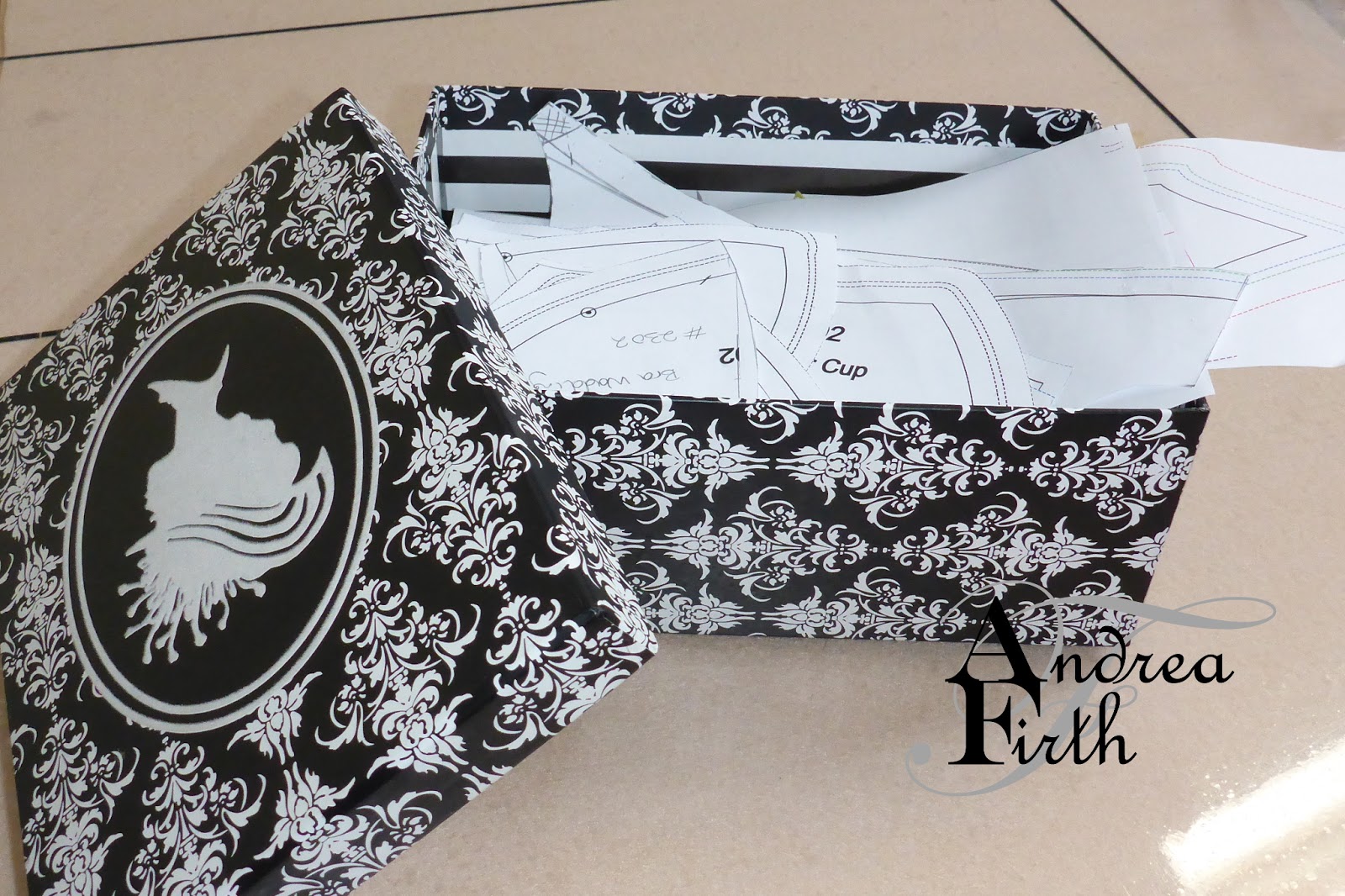
Organising my bra patterns

I recently completed a long overdue job of cleaning up and sorting out my bra patterns. Up until this, they had been living in a rather attractive cardboard box, inside a larger box of bra supplies. Now that I've made 13 bras, the pattern pieces are all starting to get a bit confusing. For my first few bras, I labelled the patterns V1, V2 etc. When I changed the wire size, I wrote the size as well, and then when I was still getting confused as to which was which, I came up with style numbers. But they were still all going in the box.


Bra Patterns in the box

26 June 2014

Stashbusting Sewalong: June Theme "Containment"

After I made my little storage drawers a few weeks ago, I thought it was great that I had done something for this month's stashbusting sewalong theme of containment (even though it didn't involve sewing a stitch!), as I didn't think I would get a chance to do something else that fit the theme.


18 June 2014

Tutorial: Little Storage Drawers

I came across a box from an old phone recently, and thought it would make a nice addition to my storage for little bits and pieces in my studio. If I could find the other one. That wasn't too hard, and neither was putting them together to make a cute little set of drawers.


13 May 2014

My Sewing Studio: Storage Pigeon Holes

If your sewing space is anything like mine, you never have enough storage space. When I was living in a two bedroom terrace, my husband made me a beautiful timber cupboard and drawers for all of my craft and sewing supplies (however it all fit in there I'll never know). They can sit on top of each other to take up less space. When we started breeding, we had made the decision that I would quit my full time desk job to start my own sewing business, we moved to a larger house, and built a new garage with my own sewing studio on top of it. The cupboard is too tall to fit into the studio (due to council restrictions on height we couldn't build it as tall as we would have liked), but the matching drawers are still in use in the studio (with mainly craft supplies),
Let's play "spot the drawers" behind the piles of fabric!

5 July 2013

Photo Storage Update

If you have read my previous post on Blogger Photo limits, you'll know that I hadn't been very particular about how I added photos when I first started my blog.

After I realised that there was a limit to what Blogger (GOOGLE) will allow you to store for free, I went through all of my blog photos and reduced them to (at the largest), 2048 pixels on the longer side. So now, all the photos are under the size limit that counts towards my storage. I then deleted all of the original photos from my Google + album (it looks like picasa is on the way out as I was redirected to Google +) I also changed the backups from my phone so they are all automatically reduced in size when saved to Google +

While I was at it, I watermarked all of my original photos (i.e. most of the photos).

One of my concerns in replacing all of my photos was what would happen to a photo that had been pinned on pinterest. I tested another photo from my blog before I replaced and deleted it, and it worked fine. What pinterest does, is take a copy of the pinned photo, and a reference to it's original location. So as long as my post is still there, the photo will still take you back to the page it was pinned from. Needless to say, I am happy for anyone to pin my photos. What I would not be happy with, is if the link back to my blog is broken, or if my photos are used in any other way inappropriately.

How has this affected my used storage? At the time that I made all these changes, my usage reduced by 0.08 GB. That's more than I thought I would have been using for my blog.

Since I completed all these changes in early May, my usage has however increased again. None of the photos that I have been adding now count towards my limit, but Google have yet again had a play with their plans, and I now have a limit of 15GB (up from my previous 5GB limit), shared between Google Drive, Gmail and Google + photos. Since I tend to keep a lot of emails, most of this usage is taken up from Gmail. If I find that I have more problems with usage in future, I know what I have to tackle next. (Eeeek!)


22 April 2013

Blogger Photo Limits: Who Knew?

So, I was reading through some blogs the other day, and one that I was reading suddenly stopped in December last year. I read the last post, only to find out that she had stopped blogging because her photo limit had been reached! Photo limit? Who knew? Well, this is what happens when you don't do any research before you start a blog.

Worried about the status of my own photo storage, I did some research (mostly reading other blogs that have also come across this problem) and found out that I should have a 1GB photo storage limit for my photos, in a Picasa web album. And to top it all off, this is shared with other Google applications that I use. I found a post with a link that I could click to find out how much of my limit I was using.

I was astonished to find out that I was currently using over 48% of my limit, and, more interesting still, my limit was, not 1 GB, but 5GB! That means I've used more than 2.4GB. Where had all that space gone? Do I need to resize all the photos that are currently on my blog (in 20 posts, I wouldn't have thought that they would take up too much space, even when I made no effort at all to compress them!) Or maybe find another photo host and change the way I insert images into my blog?


After some looking in my Picasa account, I discovered that the majority of my photos are actually backups from my phone. I didn't realise that when I turned on the instant upload option on my new phone last year that it was going to back up every photo I have ever taken on my phone since I first bought a smart phone (2 and a half years ago now!) Or that they would be stored in Picasa. Or anything really. (Do you see a theme forming here - I don't do enough research on technologically related things). Photos up to 2048 x 2048 pixels (when using Google+) apparently do not count toward this limit. Although I have read that instant upload photos are automatically resized to be under this size limit, I did not seem to have happened with my photos.

I did find out why my limit is 5GB though. Apparently at some stage I signed up for Google Drive, (not that I even know what this is), and that gives you 5GB of storage space. How fortunate! Otherwise I would have run out of space a long time ago, definitely before I even started this blog.

Just before I hit the "Publish" button though, I thought I might try and get to the bottom of the instant upload issue. It turns out that you have to go into the setting of Google+ on your phone, and check the option to resize your uploads to 2048 pixels. I was looking for this so I could turn instant uploads off, but now that I have found the culprit, I might as well leave it there, and just upload the smaller photos. At least that way if something happened to my phone I would have a record of the photos that I have taken.

Problem solved. At least I no longer have to find an alternate method of storing blog photos. Now to just find a way (and time and the inclination) to tackle that enormous amount of full size photos stored in Picasa.


31 January 2013

More Storage Boxes, and Some Bags

Recently I posted about some cute little storage boxes that I made from bridal dress bags with broken zippers. I have been plodding along deconstructing some more of these bags, and from the pieces cut out another 3 little boxes to add to the one I had already completed, and a total of 12 carry bags.

Bridal dress bag before

28 January 2013

Goals For The Year Ahead

I know it's a bit late in January to be talking about New Year's Resolutions, but I'm not a big believer in New Year's Resolutions anyway. Looking through rose coloured glasses at the possibilities of a New Year, you're bound to come up with some impossible list of things you want to do or achieve during the rest of your year. New Year's Resolutions are made to be broken. So I don't do that.

Instead, I wrote myself a wish list, or 'To Do' list of sewing-related-things I'd like to do this year when I have time between doing work for other people. It's a work in progress that I am adding to and crossing off the list as I go. I have things on the list such as:

15 January 2013

Fabric Storage Boxes

A few months ago I came across this post for making fabric boxes to hold all those little odds and ends that need a home. I bookmarked the post, knowing exactly what I would make some from, and then promptly forgot about it.

Well, the something that I wanted to use, is actually bridal dress bags that have broken zippers. That's a whole story itself, so I'll try to be quick with that explanation. When I first started my sewing business, I bought a box of 50 bridal bags to give to clients who I make wedding dresses for. Of course I anticipated that these 50 bags would be all I would ever need, but (after the warranty ran out of course), the zippers started failing on them. Every now and then I will go through some of the remaining bags and test the zippers, and add more to the pile with broken zips.

The fabric cut out and ready to go
This week I started the process of taking apart the first of these bags.